When a request has several pieces
A slide, a flyer and a banner each get their own proof and their own approval — here's how to keep track.
A request often has more than one thing to make: say, a slide, a flyer and a banner. Each one is a separate proof with its own name, its own versions (v1, v2…) and its own approval. You can approve the slide while the banner is still being worked on.
See them all
On the proof page, Proofs for this event lists every piece by name, how far along it is, and whether it’s ✓ Approved or Waiting on you. Press any of them to open it.

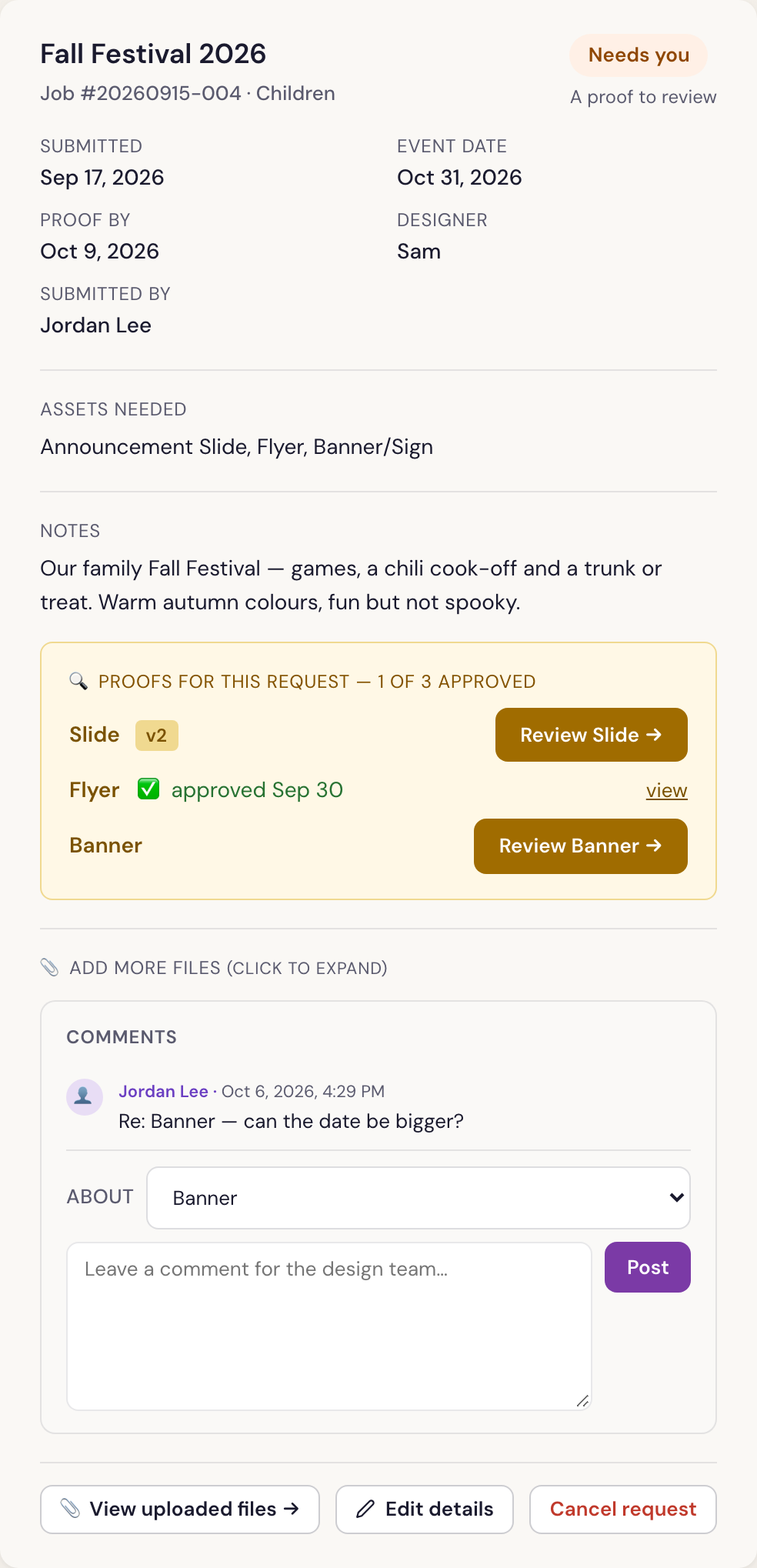
In My Requests, the request shows Proofs for this request — 1 of 3 approved, with a Review … → button for each piece still waiting.
Approve each one
Open each piece and press Looks great — Approve on it. The request is finished only when every piece is approved.
Talking about one piece
When you leave a comment in My Requests, choose the piece under About so the designer knows which one you mean.
Was something here unclear, or out of date? Email design@revival.tv or use Something unclear? at the bottom of the page.