Ask for a design
Tell the design team about your event and pick everything you need made — a slide, a flyer, a banner and more.
Every design starts with a request. It takes a few minutes, and you get an email with your job number straight away.
Fill in the form
- On the home page, press New Design Request.
- Leave Request Type on Design Request. (Already have finished artwork? See Get your own artwork checked.)
- Fill in your name, Email and, if you like, a phone number. A phone number means you also get a text when your proof is ready. Put anyone else who should see the proofs in CC Email.
- Pick your Ministry, then the Project or Event Name and Project/Event Date. Add a Start Time and Location if you have them.
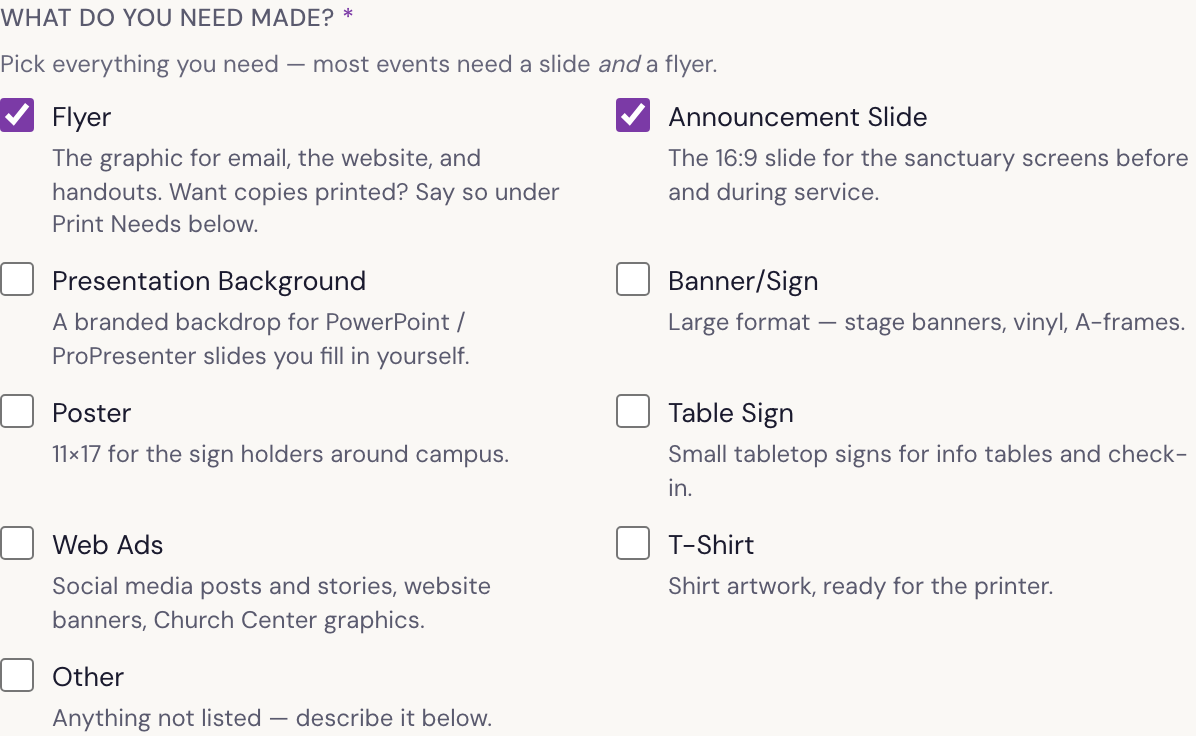
- Under What do you need made?, tick everything you need. Each choice says what it is — most events need an Announcement Slide and a Flyer.
- Answer Print Needs. Choose Yes if anything should be printed, and say how many in Quantities and details (for example “250 flyers, 4 posters”).
- In Project or Event Description, tell us what it is and the look you’re after: key wording, dates and times, Scripture, colours.
- Drop in anything that helps under Attach Files: a logo, photos, last year’s version. Up to 15 files, 25 MB each.
- Press Submit Request.
What happens next
- You’ll see Thank you! Your request is in. with your Job Number and Proof By Date, and the same comes by email.
- A designer picks it up, usually within a few working days.
- You get your proof by email to look over. See Review and approve a proof.
Forgot something? Reply to your confirmation email, or add it from My Requests.
Starting from a Planning Center event
If the event is already in the church calendar, pick it under Start from a PCO Event at the side of the form. The name, date, time and place fill themselves in; check them and add the rest.
Doing it again next year
On a finished request in My Requests, press Submit Similar →. The form opens filled in from last time. Change the date and anything that’s different, then submit.
Was something here unclear, or out of date? Email design@revival.tv or use Something unclear? at the bottom of the page.